
🖥️ Python se Desktop Clean Kaise Kare? (2026)
Table of Contents
Toggle🚀 Beginner Friendly Automation Project • Real-Life Use Case • Step-by-Step Guide
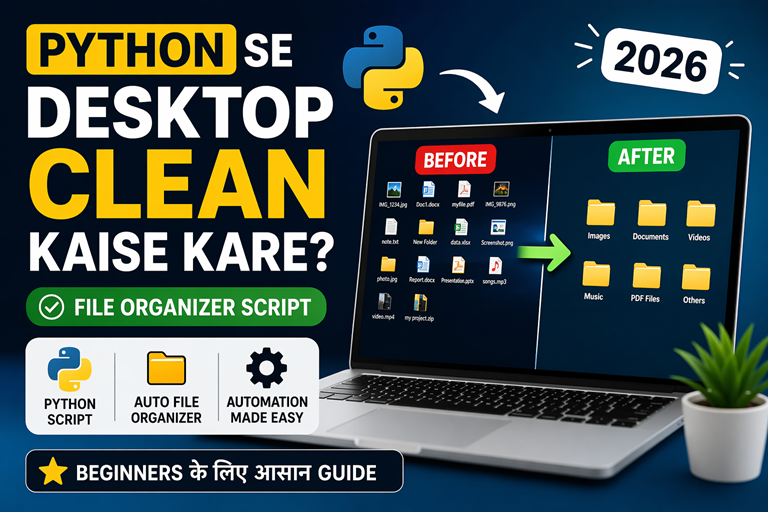
क्या आपका Desktop या Downloads folder हमेशा messy रहता है? 😓 हर बार files manually organize करना time waste करता है। अब आप सिर्फ एक Python script से अपने Desktop को automatically clean कर सकते हैं!
Learn how to automatically organize your desktop files using Python. This beginner-friendly project helps you save time, boost productivity, and understand real-world automation.
⚡ Automation
Files automatically category folders में move हो जाती हैं
🧠 Beginner Friendly
No advanced coding needed — simple Python logic
💼 Real Project
Portfolio में दिखाने लायक practical project
🎯 Data Analytics & Python सीखना चाहते हो?
Vista Academy में practical projects के साथ सीखो
⚡ Python se Desktop Automation Kyun Jaruri Hai?
Real Problem → Real Solution
सोचो हर दिन तुम अपने Desktop या Downloads folder खोलते हो… और सामने होता है पूरा mess 😓 images, PDFs, videos — सब mix.
अब हर बार manually files को drag करके अलग करना… ये सिर्फ time waste नहीं, बल्कि productivity भी कम करता है।
यही जगह है जहाँ Python automation काम आता है। एक simple script बनाकर तुम अपने system को खुद organize करवा सकते हो — बिना मेहनत के।
⏳ Time Saving
Manual sorting की जरूरत खत्म — seconds में काम
📂 Organized System
हर file सही category में automatically
🚀 Productivity Boost
Clean workspace = better focus
💡 Smart Work
Hard work नहीं — automation से smart work
💡 Pro Insight
- आज की दुनिया में automation एक must-have skill बन चुकी है
- Python सबसे आसान language है automation के लिए
- ऐसे छोटे projects portfolio को strong बनाते हैं
🧠 Python File Organizer Script Kya Hota Hai?
Concept ko simple tarike se samjho
Python File Organizer ek automation script hota hai jo system ke folders ko automatically manage karta hai. Yeh script files ko unke type (jaise image, video, PDF, etc.) ke basis par alag-alag folders me move kar deta hai.
Matlab agar tumhare Desktop par 100 files mixed hain, to Python script unhe khud detect karega aur proper categories me organize kar dega — bina manual effort ke.
📥 Step 1: Scan Files
Folder ke andar sabhi files ko read karta hai
🔍 Step 2: Identify Type
File extension (.jpg, .pdf, .mp4) check karta hai
📂 Step 3: Create Folders
Images, Videos, Documents ke folders banata hai
🚀 Step 4: Move Files
Files automatically correct folder me move ho jaati hain
⚙️ Kaam Kaise Karta Hai?
- Folder → scan hota hai
- Har file ka extension check hota hai
- Matching category identify hoti hai
- File us folder me move ho jaati hai
🛠️ Step-by-Step: Python se Desktop Clean Kaise Kare
Beginner friendly implementation guide
अब हम practically देखेंगे कि Python script ka use karke Desktop ya folder ko kaise automatically clean aur organize kar sakte hain. Yeh steps follow karke aap easily apna automation project bana sakte ho.
📥 Step 1: Python Install karo
Python ya Anaconda install karo (recommended for beginners)
📄 Step 2: File Create karo
Notepad ya VS Code me ek file banao: organizer.py
✍️ Step 3: Code likho
File ke andar automation ka code likho (next section me milega)
▶️ Step 4: Run karo
Terminal me command likho: python organizer.py
💻 Run Karne Ka Output
Script run karte hi aapko terminal me output dikhega:
photo.jpg → Images
file.pdf → PDF
video.mp4 → Videos
Iska matlab hai ki files automatically unke category folders me move ho chuki hain ✅
⚠️ Important Tip
- पहले test folder par run karo (direct Desktop par nahi)
- Files move ho jati hain — delete nahi hoti
- Script ko baar-baar run karke automation test karo
💻 Python File Organizer Script (Full Code)
Copy, Paste & Run — Beginner Friendly Code
नीचे दिया गया Python script आपके Desktop और Downloads folders को automatically organize करता है। यह files को उनके type (Images, Videos, PDF, Word, Excel आदि) के हिसाब से अलग-अलग folders में move कर देता है। यह version safe है — duplicate files overwrite नहीं होंगी और hidden files skip हो जाएंगी।
```

import os
import shutil

folders = [
r"C:\Users\welcom\Desktop\test_desktop",
r"C:\Users\welcom\Downloads\test_folder"
]

file_types = {
"Images": [".jpg", ".png", ".jpeg", ".gif", ".bmp", ".webp"],
"Videos": [".mp4", ".mkv", ".avi", ".mov", ".wmv"],
"PDF": [".pdf"],
"Word": [".doc", ".docx"],
"Excel": [".xls", ".xlsx"],
"Shortcuts": [".lnk"],
"Chrome": [".html", ".htm", ".crdownload"],
"Software": [".exe"],
}

for folder_path in folders:
print(f"\nProcessing: {folder_path}")

```
# Create category folders
for category in file_types:
    os.makedirs(os.path.join(folder_path, category), exist_ok=True)

others_folder = os.path.join(folder_path, "Others")
os.makedirs(others_folder, exist_ok=True)

for file in os.listdir(folder_path):

    # ❌ Skip hidden + script file
    if file.startswith(".") or file.endswith(".py"):
        continue

    file_path = os.path.join(folder_path, file)

    if os.path.isfile(file_path):
        ext = os.path.splitext(file)[1].lower()
        moved = False

        for category, extensions in file_types.items():
            if ext in extensions:
                dest = os.path.join(folder_path, category, file)

                # ✅ Avoid overwrite
                if not os.path.exists(dest):
                    shutil.move(file_path, dest)
                    print(f"{file} → {category}")
                else:
                    print(f"Skipped (exists): {file}")

                moved = True
                break

        if not moved:
            dest = os.path.join(others_folder, file)

            if not os.path.exists(dest):
                shutil.move(file_path, dest)
                print(f"{file} → Others")
            else:
                print(f"Skipped (exists): {file}")
```

print("\n✅ All folders organized safely!")
“`
🧠 Code Kya Karta Hai?
- Desktop aur Downloads folders scan karta hai
- File extensions identify karta hai (.jpg, .pdf, etc.)
- Category folders automatically create karta hai
- Duplicate files overwrite nahi hoti (safe handling)
- Hidden aur .py files skip karta hai
⚡ Pro Tip
- Path ko apne system ke according change karo
- Pehle test folder me run karo
- Direct Desktop par run karne se pehle verify karo
- Daily automation ke liye Task Scheduler use kar sakte ho
⚙️ Python Script को Anaconda Prompt में कैसे Run करें?
Step-by-Step Guide for Beginners (No Confusion)
नीचे दिए गए steps follow करके आप आसानी से अपने Python File Organizer script को Anaconda Prompt में run कर सकते हैं। यह तरीका beginners के लिए सबसे आसान और safe है।
🔴 Step 1: Python से बाहर निकलें
अगर screen पर >> दिख रहा है, तो आप Python shell के अंदर हैं। पहले बाहर आएं:
exit()
🟢 Step 2: Base Environment Activate करें
अब Anaconda environment activate करें:
conda activate base
🟡 Step 3: Python Script Run करें
अब नीचे दिया गया command copy करके run करें:
```

python "C:\Users\welcom\Downloads\organize.py"
🎯 Expected Output
```

Processing: C:\Users\welcom\Desktop\test_desktop
file1.jpg → Images

Processing: C:\Users\welcom\Downloads\test_folder

✅ All folders organized safely!
❗ Important Notes
>>दिखे तो script run मत करो (यह Python shell है)- Command हमेशा (base) C:\Users\… वाले screen में चलाओ
- File path सही होना चाहिए (Downloads में organize.py)
⚡ Pro Tip
- Direct run के लिए हमेशा full path use करो
- बार-बार run करने के लिए .bat file बना सकते हो
- Automation के लिए Task Scheduler use करो
🧠 Code Kaise Kaam Karta Hai? (Simple Explanation)
Step-by-step logic samjho (Beginner to Pro)
अब हम इस Python script के पीछे का logic समझेंगे। अगर तुम यह समझ गए, तो तुम खुद के automation projects भी बना सकते हो।
📁 os Module
Files aur folders ko access karne ke liye use hota hai (list, path, check)
🚚 shutil Module
Files ko ek folder se doosre folder me move karne ke liye use hota hai
🔁 Loop (for loop)
Har file ko ek-ek karke check karta hai aur process karta hai
🔍 File Extension
.jpg, .pdf, .mp4 se file ka type identify hota hai
⚙️ Step-by-Step Logic
- Folder ke andar sab files ko read karo
- Har file ka extension check karo
- Matching category identify karo
- Agar folder exist nahi karta → create karo
- File ko us category folder me move karo
💡 Easy Breakdown
os.listdir() → folder ke andar ki files laata hai
os.path.splitext() → extension nikalta hai
shutil.move() → file ko move karta hai
🔥 Pro Insight (Interview Ready)
- Yeh script real-world automation ka basic example hai
- Same logic use hota hai data pipelines aur file processing me
- Automation skills data analytics aur AI me bahut demand me hain
🌍 Real-Life Use Cases of Python Automation
Yeh sirf project nahi — real world skill hai
Python automation sirf ek practice project nahi hai. Yeh real life me daily use hone wali skill hai jo aapka kaam fast aur smart bana deti hai.
🎓 Student Use
Students apne notes, PDFs, assignments ko automatically organize kar sakte hain. Har subject ke liye alag folder ban sakta hai.
💼 Office Work
Daily reports, Excel files, documents automatically sort ho jate hain. Time bachta hai aur workflow smooth ho jata hai.
📥 Downloads Folder
Downloads folder hamesha messy hota hai. Python script use karke sab files automatically categories me chali jati hain.
📸 Content Creators
Images, videos, thumbnails automatically organize ho jate hain. Editing workflow fast ho jata hai.
👨💻 Developers
Logs, project files, code backups automatically manage ho jate hain. Clean workspace = better coding experience.
🏠 Personal Use
Family photos, videos, documents automatically sorted rehte hain. Kuch bhi dhoondhna easy ho jata hai.
💡 Reality Check
- Automation aaj ke time me ek must-have skill ban chuki hai
- Small scripts bhi aapka daily 1–2 ghanta bacha sakte hain
- Yeh skill future jobs (Data Analytics, AI, IT) me highly valuable hai
🖥️ Before vs After: Desktop Organization
Automation ka real impact dekho
❌ Before (Messy Desktop)
Sab files mix — images, videos, documents ek hi jagah Kuch bhi dhoondhna mushkil 😓
✅ After (Organized Desktop)
Har file apne category folder me — clean aur professional setup ✨ Sab kuch easily accessible 👍
🚀 Result Kya Mila?
- Desktop clean aur organized ho gaya
- Files instantly mil jati hain
- Time saving + productivity boost
- Manual effort zero ho gaya
🎥 Python File Organizer – Full Tutorial Video
Watch Step-by-Step Implementation (Beginner Friendly)
अगर आपको ऊपर दिया गया Python File Organizer script समझने में कोई दिक्कत हो रही है, तो नीचे दिया गया वीडियो जरूर देखें। इसमें step-by-step पूरे project को practically explain किया गया है।
📌 What You Will Learn in This Video
- Python automation project step-by-step
- Desktop & Downloads auto organize करना
- File handling using Python (os & shutil)
- Real-world automation use case
🚀 Why This Video is Important?
- Beginner friendly explanation
- Real project for portfolio
- Python + Automation skills boost
- Interview ready concept
🎯 Final Thoughts: Python Automation Se Smart Work
Ab aap bhi apna Desktop automate kar sakte ho
Ab aapne step-by-step dekha ki kaise ek simple Python script se Desktop aur Downloads folder ko automatically organize kiya ja sakta hai. Yeh sirf ek chhota project nahi, balki real-world automation skill hai jo aapki productivity ko next level par le ja sakti hai.
Aaj ke time me automation aur data skills bahut demand me hain. Agar aap in skills ko aur deeply seekhna chahte ho, to structured learning approach lena bahut important hai.
🚀 Apni Data & Python Skills Upgrade Karo
Beginner se professional banne ke liye practical projects aur real guidance zaruri hai.
💡 Last Tip
- Chhote automation projects se shuru karo
- Regular practice se skills fast grow hoti hain
- Real projects portfolio ko strong banate hain
🚀 Vista Academy Courses – Start Your Tech Career
Learn Python, Data Analytics & AI with Industry-Level Training
अगर आप Python Automation, Data Analytics या Machine Learning सीखकर अपना career बनाना चाहते हैं, तो Vista Academy Dehradun आपके लिए best जगह है। यहाँ आपको मिलेगा practical training, real-world projects और job-ready skills।
📊 Data Analytics Course
Real-world projects + job-ready skills
🤖 Data Science Course
AI, ML & advanced analytics training
🧠 Machine Learning Course
3-month fast-track industry program
📞 Contact Us
Call / WhatsApp: 9411778145
📍 Dehradun | Limited Seats Available