
Python से PC Cleaner कैसे बनाएं?
Table of Contents
Toggleअगर आपका कंप्यूटर slow हो रहा है, storage भर जाता है या unnecessary files जमा हो रही हैं — तो इस guide में आप सीखेंगे कैसे Python से एक powerful PC Cleaner tool बनाएं।
- 💻 Beginner Friendly
- ⚡ Real Project
- 🐍 Python Automation
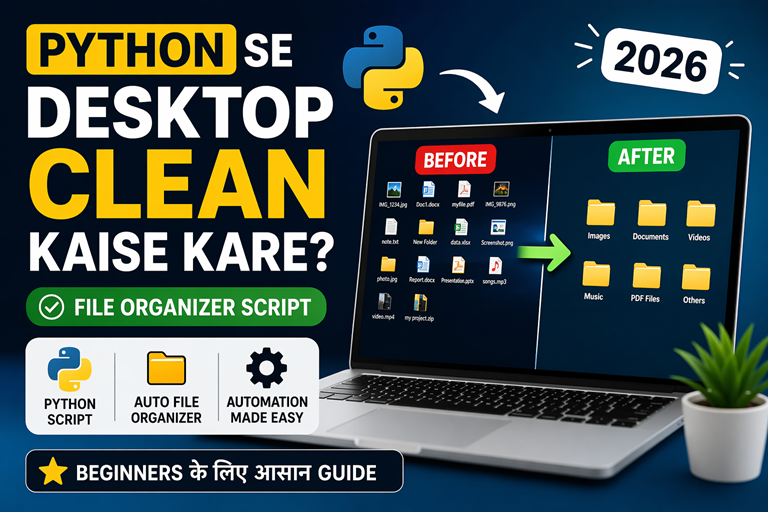
🚀 इस प्रोजेक्ट में आप क्या सीखेंगे?
Real-world Python automation project
इस Python प्रोजेक्ट में आप एक ऐसा tool बनाएंगे जो आपके कंप्यूटर को clean और fast बनाता है। यह beginner-friendly है और आपको real-world skills सिखाता है।
🧹 Temp Files Cleaning
System के temporary files को automatically delete करना सीखेंगे।
🌐 Browser Cache Clear
Chrome और Edge cache को Python से साफ करना सीखेंगे।
🗑️ Recycle Bin Automation
Recycle bin को programmatically empty करना सीखेंगे।
⚡ System Optimization
PC performance improve करने के real techniques समझेंगे।
🧠 PC Cleaner क्या होता है?
Understanding the concept before coding
PC Cleaner एक ऐसा software या tool होता है जो आपके कंप्यूटर में मौजूद unnecessary files को हटाकर system को fast और optimized बनाता है।
समय के साथ आपके कंप्यूटर में बहुत सारी junk files जमा हो जाती हैं जैसे: temporary files, browser cache, logs, और deleted files (Recycle Bin में)। ये सभी मिलकर storage भर देते हैं और system को slow कर देते हैं।
🔍 PC Cleaner क्या-क्या करता है?
- 🧹 Temporary Files हटाता है → System speed improve होती है
- 🌐 Browser Cache साफ करता है → Storage free होती है
- 🗑️ Recycle Bin empty करता है → Junk permanently हटता है
- ⚡ System को optimize करता है → Performance बेहतर होती है
⚠️ Problem
PC slow हो जाता है और storage जल्दी भर जाता है
💡 Solution
Python से automation tool बनाकर cleaning करें
🚀 Result
Fast, optimized और smooth system performance
💻 Python से PC Cleaner Code
Complete working project code
नीचे दिया गया code एक simple लेकिन powerful Python PC Cleaner tool बनाता है जो temp files, cache और recycle bin को साफ करता है।
import os
import shutil
import ctypes
from send2trash import send2trash

# SAFE DELETE
def safe_delete(path):
    try:
        if os.path.isfile(path) or os.path.islink(path):
            send2trash(path)
        elif os.path.isdir(path):
            shutil.rmtree(path, ignore_errors=True)
    except Exception as e:
        print(f"Error: {e}")


# USER TEMP CLEAN
def clean_temp():
    print("Cleaning USER TEMP...")
    temp = os.environ.get("TEMP")
    if temp and os.path.exists(temp):
        for file in os.listdir(temp):
            safe_delete(os.path.join(temp, file))


# WINDOWS TEMP CLEAN
def clean_windows_temp():
    print("Cleaning Windows Temp...")
    path = r"C:\Windows\Temp"
    if os.path.exists(path):
        for file in os.listdir(path):
            shutil.rmtree(os.path.join(path, file), ignore_errors=True)


# RECYCLE BIN CLEAN
def clean_recycle_bin():
    print("Emptying Recycle Bin...")
    try:
        ctypes.windll.shell32.SHEmptyRecycleBinW(None, None, 0)
    except:
        print("Recycle Bin error skipped")


# BROWSER CACHE CLEAN
def clean_browser_cache():
    print("Cleaning Browser Cache...")
    user = os.getlogin()

    chrome = fr"C:\Users\{user}\AppData\Local\Google\Chrome\User Data\Default\Cache"
    edge = fr"C:\Users\{user}\AppData\Local\Microsoft\Edge\User Data\Default\Cache"

    for path in [chrome, edge]:
        if os.path.exists(path):
            for file in os.listdir(path):
                safe_delete(os.path.join(path, file))


# MAIN
if __name__ == "__main__":
    print("===== PC CLEANER START =====")

    clean_temp()
    clean_browser_cache()
    clean_recycle_bin()

    try:
        clean_windows_temp()
    except:
        print("Windows temp skipped")

    print("✅ CLEANING COMPLETE!")
⚙️ Python PC Cleaner Project कैसे चलाएं?
Step-by-step guide for beginners
नीचे दिए गए steps को follow करके आप आसानी से इस Python PC Cleaner project को अपने system में चला सकते हैं।
1️⃣ Python Install करें
अपने कंप्यूटर में Python install करें और “Add to PATH” जरूर select करें।
2️⃣ Library Install करें
CMD खोलें और यह command चलाएं:
pip install send2trash3️⃣ Code Save करें
Code को cleaner.py नाम से save करें (जैसे: Desktop या Documents folder में)
4️⃣ CMD में सही location पर जाएं
CMD खोलें और उस folder में जाएं जहां आपने file save की है
cd Desktop
या अगर Documents में है:
cd Documents
5️⃣ Project Run करें
अब यह command चलाएं:
python cleaner.py
📌 Full Example (Complete Flow)
cd Desktop
python cleaner.py
👉 अगर file किसी और folder में है, तो उसका पूरा path लिखें:
cd C:\Users\YourName\Desktop
🚀 आगे क्या सीखें? (Next Step for You)
अपनी Python journey को next level पर ले जाएं
आपने Python से एक PC Cleaner project बना लिया — अब समय है अपने skills को और upgrade करने का। नीचे दिए गए topics आपको real-world developer बनने में मदद करेंगे।
🐍 Python Basics Strong करें
Python loops, conditions और logic मजबूत करने के लिए यह पढ़ें:
👉 Python While Loop Practice Questions📊 Data Analytics सीखें
Python का use सिर्फ automation में नहीं, बल्कि data analytics में भी होता है:
👉 Data Analytics क्या है? Step-by-Step Guide🧠 AI और Future Technology
Python का सबसे बड़ा use AI और Machine Learning में है:
👉 AI क्या है? आसान हिंदी में समझें💼 Career Growth Tip
अगर आप ऐसे real-world projects सीखते रहेंगे, तो आप आसानी से:
- ✔ Python Developer बन सकते हैं
- ✔ Data Analyst / Automation Engineer बन सकते हैं
- ✔ Freelancing या Software Product बना सकते हैं
🎓 Learn Python + Data Analytics (Vista Academy)
अगर आप beginner से professional बनना चाहते हैं, तो Vista Academy में आपको real projects + practical training दी जाती है।
❓ अक्सर पूछे जाने वाले सवाल (FAQ)
Python PC Cleaner Project से जुड़े सवाल
❓ Python से PC Cleaner बनाना क्या safe है?
हाँ, अगर आप send2trash जैसी library use करते हैं, तो files permanent delete नहीं होतीं बल्कि recycle bin में जाती हैं।
❓ क्या यह project beginners के लिए है?
हाँ, यह एक beginner-friendly project है जिसमें basic Python concepts का उपयोग होता है।
❓ क्या मैं इसे GUI software बना सकता हूँ?
हाँ, आप इसे Tkinter या PyQt का उपयोग करके desktop application बना सकते हैं।
❓ क्या यह Windows के अलावा Mac या Linux में काम करेगा?
यह code mainly Windows के लिए बना है क्योंकि इसमें Windows-specific paths और commands use हुए हैं।
❓ क्या मैं इसे .exe software बना सकता हूँ?
हाँ, आप pyinstaller का उपयोग करके इसे executable (.exe) file में convert कर सकते हैं।