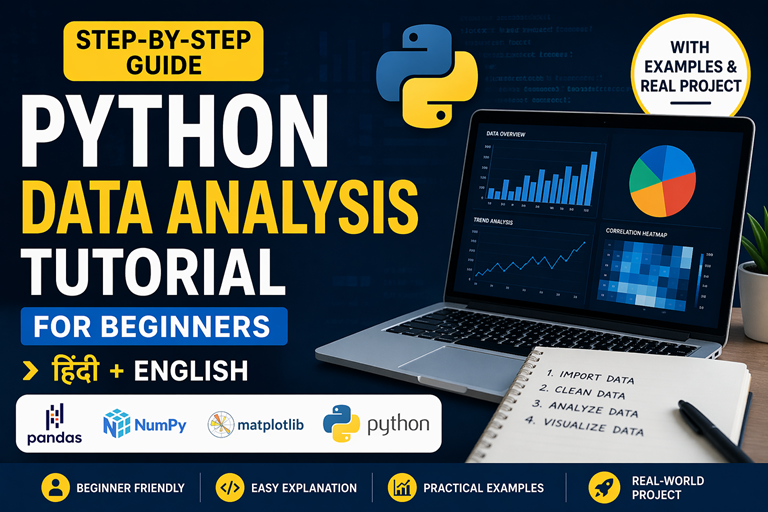
python data analysis tutorial for beginners using pandas and numpy
🚀 Beginner Friendly Tutorial

Python Data Analysis Tutorial

Step-by-step guide to learn data analysis using Python (Hindi + English)

Data Analysis ka matlab hai raw data ko analyze karke useful insights nikalna. आसान शब्दों में, data को समझकर better decisions लेना ही data analysis है. आज हर industry data-driven बन चुकी है — isliye yeh skill highly valuable hai.

Python is one of the most powerful tools for data analysis. Easy syntax aur Pandas, NumPy, Matplotlib jaise libraries ise beginners ke liye perfect banati hain. Agar aap python data analysis tutorial search kar rahe hain, to yeh guide aapke liye best starting point hai.

📊

Analyze Data

Patterns aur trends identify karna seekho

Easy Learning

Simple Hinglish explanation + examples

🚀

Career Ready

Analytics aur data science ke liye ready ho jao

📌 Data Analysis Process

Import Clean Analyze Visualize
Python data analysis सीखकर आप raw data को insights में convert कर सकते हैं और apna analytics career start kar sakte hain 🚀

⚙️ Setting Up Python Environment

Start your Python data analysis journey with the right tools (Hindi + English)

Before starting data analysis using Python, ek proper setup hona zaroori hai. सही environment होने से आप easily libraries install कर सकते हैं, code run कर सकते हैं aur बिना errors के data analysis सीख सकते हैं.

1️⃣

Install Python

Latest version of Python install करें from official website. Python 3.9+ recommended है better compatibility के लिए.

2️⃣

Use Anaconda

Anaconda एक complete package है जिसमें Python, Jupyter Notebook और important libraries पहले से installed होती हैं — beginners के लिए best.

3️⃣

Choose IDE

  • Jupyter Notebook → step-by-step analysis
  • VS Code → lightweight & flexible
  • PyCharm → advanced projects
4️⃣

Install Libraries

pip install numpy pandas matplotlib seaborn scikit-learn

इन libraries से आप data cleaning, analysis aur visualization कर सकते हैं.

💡 Tip: Beginners के लिए Anaconda + Jupyter Notebook सबसे आसान setup है. इससे आप बिना configuration issues के directly coding शुरू कर सकते हैं.

Setup complete होने के बाद, आप ready हैं next step के लिए — Python data analysis step-by-step tutorial 🚀

🐍 Python Basics for Data Analytics (Part 1)

Strong foundation before learning Pandas & NumPy (Beginner Friendly)

Python is one of the most widely used programming languages in the field of data analytics. Aaj ke time mein almost हर company data-driven decisions लेती है, और Python unhe data analyze करने में help करता है.

अगर आप data analysis using Python सीखना चाहते हैं, तो सबसे पहले आपको Python basics समझने होंगे. Beginners अक्सर सीधे Pandas या Machine Learning पर jump कर जाते हैं — लेकिन बिना fundamentals के concepts clear नहीं होते.

इस tutorial section में हम step-by-step Python ke core concepts सीखेंगे — variables, data types, lists, dictionaries, conditions और loops. ये वही building blocks हैं जो हर data analyst daily use करता है real-world projects में.

1️⃣ Variables & Data Types (Foundation of Data Analysis)

Variables ka use data store करने के लिए किया जाता है. Python dynamically typed language है — मतलब आपको variable type define करने की जरूरत नहीं होती.

count = 120 price = 499.99 product = “Laptop” in_stock = True

यहाँ:

  • int → whole numbers (count)
  • float → decimal numbers (price)
  • str → text (product)
  • bool → True/False (in_stock)

👉 Data analytics में इनका use: – Sales numbers store करना – Customer names handle करना – Product prices analyze करना

Example: अगर आप sales dataset analyze कर रहे हैं, तो हर column एक data type represent करता है.

2️⃣ Lists – Data Collections का Base

List ek ordered collection है जिसमें multiple values store की जा सकती हैं. Data analysis में lists बहुत important होती हैं क्योंकि datasets अक्सर collection form में होते हैं.

sales = [120, 340, 50, 220] sales.append(500)

👉 Operations:

  • Add data → append()
  • Remove data → remove()
  • Access → index

👉 Real-world use: – Daily sales data – Website traffic logs – Sensor readings

Example:

total_sales = sum(sales) avg_sales = total_sales / len(sales)

👉 यही calculations business analytics में use होती हैं

3️⃣ Dictionaries – Structured Data

Dictionary key-value pairs में data store करता है. यह real-world datasets के structure को represent करता है.

user = { “id”: 101, “name”: “Rahul”, “score”: 88 }

👉 Access data:

print(user[“name”])

👉 Real-world use: – Database records – API responses – JSON data

👉 क्यों important? क्योंकि Pandas DataFrame भी internally dictionary-like structure follow करता है.

4️⃣ Conditions – Decision Making

Conditions का use data filter करने के लिए होता है. Data analytics में filtering सबसे important step है.

score = 75 if score > 80: grade = “A” elif score > 60: grade = “B” else: grade = “C”

👉 Real-world use: – High-value customers identify करना – Fraud transactions detect करना – Performance categories बनाना

Example:

sales = [120, 0, 340, 50] for s in sales: if s > 0: print(s)

👉 यहाँ हम zero values remove कर रहे हैं → data cleaning step

5️⃣ Loops – Data Iteration

Loop का use multiple data points process करने के लिए होता है. Data analytics में यह बहुत common operation है.

sales = [120, 340, 50] for s in sales: print(s)

👉 Advanced use:

clean_sales = [] for s in sales: if s > 100: clean_sales.append(s)

👉 यह filtering + transformation दोनों कर रहा है

👉 Shortcut (list comprehension):

clean_sales = [s for s in sales if s > 100]

🎯 अब तक आपने सीखा:

  • Variables & data types
  • Lists & collections
  • Dictionaries
  • Conditions
  • Loops

👉 ये सभी concepts मिलकर data analysis का foundation बनाते हैं.

🚀 Next Part में हम सीखेंगे: Functions, File Handling, और Real Data Processing

⚡ Python Basics for Data Analytics (Part 2)

Functions, File Handling & Real Data Preparation (Beginner to Intermediate)

Part 1 में हमने Python ke basic concepts सीखे — variables, lists, dictionaries, loops aur conditions. अब हम अगले level पर जाएंगे और सीखेंगे कि इन concepts को real-world data analysis में कैसे use किया जाता है.

इस section में हम focus करेंगे functions, file handling (CSV/JSON), और real data processing पर. ये सभी skills किसी भी data analyst के daily workflow का हिस्सा होते हैं. अगर आप data analysis using Python सीख रहे हैं, तो यह section आपके लिए बहुत important है.

6️⃣ Functions – Code को Smart और Reusable बनाना

Functions reusable blocks होते हैं जो code को clean और efficient बनाते हैं. अगर आप बार-बार एक ही logic use कर रहे हैं, तो उसे function में convert करना best practice है.

def clean_data(values): result = [] for v in values: if v > 0: result.append(v) return result

👉 ऊपर का function क्या कर रहा है?

  • Negative या zero values remove कर रहा है
  • Clean data return कर रहा है

👉 Real-world example: अगर आपके पास sales dataset है जिसमें कुछ गलत values (0 या negative) हैं, तो यह function automatically data clean कर देगा.

Example:

sales = [100, -20, 300, 0, 500] clean_sales = clean_data(sales) print(clean_sales)

👉 Output: [100, 300, 500]

👉 क्यों जरूरी है? क्योंकि real datasets कभी perfect नहीं होते — data cleaning सबसे important step होता है.

7️⃣ File Handling – CSV और JSON Data पढ़ना

Data analysis की शुरुआत data पढ़ने से होती है. सबसे common formats हैं:

  • CSV (Comma Separated Values)
  • JSON (JavaScript Object Notation)

👉 CSV पढ़ने का example:

import csv with open(“data.csv”, newline=””) as f: reader = csv.reader(f) data = list(reader) print(data)

👉 CSV files क्यों important हैं?

  • Excel data आसानी से CSV में convert होता है
  • Lightweight और fast होता है
  • Most datasets इसी format में मिलते हैं

👉 JSON पढ़ने का example:

import json with open(“data.json”) as f: data = json.load(f) print(data)

👉 JSON कहाँ use होता है?

  • APIs (like weather data, stock data)
  • Web applications
  • Configuration files

👉 Tip: Real-world में आप जल्दी ही Pandas use करेंगे (pd.read_csv), लेकिन basics समझना जरूरी है.

8️⃣ Data Cleaning – Real Analysis का सबसे Important Step

Data cleaning का मतलब है dataset को usable बनाना. Real-world data में बहुत problems होती हैं:

  • Missing values
  • Duplicate rows
  • Wrong data types
  • Outliers

Example:

sales = [100, None, 200, -50, 300] clean_sales = [] for s in sales: if s is not None and s > 0: clean_sales.append(s)

👉 Output: [100, 200, 300]

👉 यह step हर data analyst daily करता है

9️⃣ Real-World Data Analysis Example

अब हम एक simple real-world example देखते हैं:

sales = [100, 200, 0, 400, 150] clean_sales = [s for s in sales if s > 0] total = sum(clean_sales) average = total / len(clean_sales) print(“Total:”, total) print(“Average:”, average)

👉 यह example क्या दिखाता है?

  • Data cleaning (zero remove)
  • Total calculation
  • Average निकालना

👉 यही logic companies use करती हैं: – Sales analysis – Revenue calculation – Performance tracking

🔟 Best Practices for Python Data Analysis

अगर आप professional data analyst बनना चाहते हैं, तो ये rules follow करें:

  • ✔️ हमेशा data clean करें before analysis
  • ✔️ Reusable functions बनाएं
  • ✔️ Duplicate data avoid करें
  • ✔️ Code readable रखें
  • ✔️ Comments use करें
  • ✔️ Input validate करें

👉 Clean code = better analysis + less errors

🎯 इस section में आपने सीखा:

  • Functions का use
  • CSV और JSON handling
  • Data cleaning techniques
  • Real-world data analysis example
  • Best practices

🚀 अब आप तैयार हैं next level के लिए: Pandas & NumPy for Data Analysis

👉 यही tools आपको real datasets handle करने और professional analytics करने में मदद करेंगे

📊 NumPy Tutorial for Data Analysis

Fast, Powerful & Essential Library for Python Data Analytics (Beginner to Advanced)

NumPy (Numerical Python) is one of the most important libraries in Python for data analysis. अगर आप data analytics using Python सीख रहे हैं, तो NumPy आपका first step होना चाहिए.

NumPy mainly use होता है arrays (ndarrays) के साथ काम करने के लिए. यह arrays Python lists से ज्यादा fast, memory-efficient और powerful होते हैं.

Simple language में: 👉 NumPy = Faster calculations + Better performance + Easy data handling

Data analysis, machine learning, AI — हर जगह NumPy use होता है क्योंकि यह large datasets को efficiently handle करता है.

🚀 Why NumPy is Important?

  • ⚡ Fast computation (C-based backend)
  • 📊 Large dataset handling
  • 🔁 Vectorized operations (no loops needed)
  • 💡 Foundation of Pandas & Machine Learning

1️⃣ NumPy Arrays vs Python Lists

Python lists flexible होती हैं लेकिन slow होती हैं. NumPy arrays optimized होते हैं numerical operations के लिए.

import numpy as np lst = [1, 2, 3, 4] arr = np.array([1, 2, 3, 4]) # list operation lst2 = [x * 2 for x in lst] # numpy operation arr2 = arr * 2

👉 NumPy automatically पूरे array पर operation apply करता है 👉 Loop लिखने की जरूरत नहीं होती

2️⃣ Creating NumPy Arrays

import numpy as np a = np.zeros((2,3)) b = np.ones(5) c = np.arange(0,10,2) d = np.linspace(0,1,5)

👉 Explanation:

  • zeros → empty matrix create करता है
  • ones → default values fill करता है
  • arange → range generate करता है
  • linspace → equal intervals create करता है

3️⃣ Array Properties

a.shape a.ndim a.size a.dtype

👉 ये properties dataset को समझने में help करती हैं:

  • shape → dimensions
  • ndim → number of axes
  • size → total elements
  • dtype → data type

4️⃣ Indexing & Slicing

x = np.array([10, 15, 0, 20, 5]) x[0] x[-1] x[1:4]

👉 Data extract करने के लिए यह basic step है

5️⃣ Boolean Filtering (Data Cleaning)

x = np.array([10, 15, 0, 20, 5]) mask = x > 10 filtered = x[mask]

👉 Output: [15, 20]

👉 यह step real-world data cleaning में use होता है

6️⃣ Vectorization

Vectorization मतलब entire array पर operation apply करना without loops

arr = np.array([1,2,3,4]) result = arr * 10

👉 Fast execution + clean code

7️⃣ Broadcasting

A = np.array([[1,2,3],[4,5,6]]) v = np.array([10,20,30]) A + v

👉 NumPy automatically shape match करके operation apply करता है

8️⃣ Aggregation Functions

arr = np.array([1,2,3,4,5]) arr.sum() arr.mean() arr.max() arr.min()

👉 Data analysis में सबसे ज्यादा use यही functions होते हैं

9️⃣ Reshape & Transform

a = np.arange(12) a2 = a.reshape(3,4)

👉 Data को different format में convert करने के लिए

🔟 Random Data Generation

rng = np.random.default_rng(42) rng.normal(0,1,5) rng.uniform(0,1,5)

👉 Machine learning aur testing में use होता है

📊 Real-World Example

sales = np.array([100, 200, 0, 400, 150]) clean_sales = sales[sales > 0] total = clean_sales.sum() average = clean_sales.mean()

👉 यही logic companies use करती हैं: – Sales analysis – Business insights – Revenue prediction

💡 Best Practices

  • Loops avoid करो → vectorization use करो
  • Large datasets → NumPy use करो
  • Clean data before analysis
  • dtype check करते रहो

🚀 अब आप ready हैं next step के लिए: Pandas for Data Analysis

👉 NumPy + Pandas = Complete Data Analytics Power 🔥

📊 Pandas Data Manipulation (Part 1)

डेटा लोडिंग, एक्सप्लोरेशन और बेसिक क्लीनिंग (Beginner Friendly Guide)

Pandas Python की सबसे powerful library है जो data analysis और data manipulation के लिए इस्तेमाल होती है। अगर आप data analysis using Python सीख रहे हैं, तो Pandas आपके लिए सबसे जरूरी tool है।

सरल भाषा में समझें तो Pandas आपको Excel की तरह data handle करने की सुविधा देता है — लेकिन ज्यादा powerful तरीके से। इसमें DataFrame नाम का structure होता है जिसमें rows और columns होते हैं।

आज के समय में companies Pandas का उपयोग करके:

  • Sales data analyze करती हैं
  • Customer behavior समझती हैं
  • Business decisions लेती हैं
pandas data loading process

1️⃣ डेटा लोड करना (CSV, Excel, JSON)

Data analysis का पहला step होता है data को load करना। Pandas कई formats support करता है:

import pandas as pd df = pd.read_csv(“sales.csv”) df_excel = pd.read_excel(“sales.xlsx”) df_json = pd.read_json(“data.json”)

👉 CSV सबसे common format है क्योंकि:

  • हल्का (lightweight) होता है
  • Excel से आसानी से convert हो जाता है
  • Fast processing देता है

👉 Real-world example: अगर आप e-commerce company में काम कर रहे हैं, तो daily sales CSV file में आती है जिसे आप Pandas से analyze करते हैं।

2️⃣ डेटा एक्सप्लोर करना (Exploratory Analysis)

Data load करने के बाद सबसे जरूरी step है उसे समझना। इसके लिए Pandas कुछ powerful functions देता है:

df.head() df.tail() df.info() df.describe() df.columns

👉 इनका उपयोग:

  • head() → शुरुआती 5 rows दिखाता है
  • info() → data types और null values दिखाता है
  • describe() → statistical summary देता है

👉 यह step आपको data की quality समझने में मदद करता है।

3️⃣ डेटा सेलेक्शन और फिल्टरिंग

अब हम specific data निकालना सीखेंगे:

df[“Sales”] df[[“Sales”,”Profit”]] df[df[“Sales”] > 1000]

👉 Example: अगर आपको high sales वाले products चाहिए, तो filtering use करेंगे।

4️⃣ GroupBy – डेटा को ग्रुप करना

GroupBy का उपयोग data को categories में divide करके analysis करने के लिए होता है।

df.groupby(“Region”)[“Sales”].sum()

👉 Real-world use:

  • Region-wise sales
  • Product-wise profit
  • Customer segmentation

5️⃣ डेटा क्लीनिंग (सबसे जरूरी step)

Real-world data हमेशा clean नहीं होता। इसमें missing values और errors होते हैं।

df.dropna() df.fillna(0) df[“Sales”] = df[“Sales”].astype(float)

👉 Data cleaning के बिना analysis गलत हो सकता है।

🚀 अगले भाग में हम सीखेंगे advanced data manipulation और real-world project

🚀 Pandas Data Manipulation (Part 2)

Advanced Analysis + Real Project (Hindi Guide)

अब तक आपने Pandas के basics सीख लिए हैं। इस भाग में हम advanced concepts सीखेंगे
और एक real-world project करेंगे।

6️⃣ Sorting और Ranking

df.sort_values(“Sales”, ascending=False)

👉 Top performing products निकालने के लिए use होता है।

7️⃣ Merge और Join

pd.merge(df1, df2, on=”CustomerID”)

👉 Multiple datasets combine करने के लिए।

8️⃣ Apply Function

df[“Tax”] = df[“Sales”].apply(lambda x: x * 0.1)

👉 Custom calculations के लिए।

📊 Real-World Project (Sales Analysis)

df = pd.read_csv(“sales.csv”)

df = df[df[“Sales”] > 0]

total = df[“Sales”].sum()
avg = df[“Sales”].mean()

region = df.groupby(“Region”)[“Sales”].sum()

👉 यह एक complete mini project है जो companies use करती हैं।

9️⃣ डेटा सेव करना

df.to_csv(“output.csv”)

🔥 अब आप Pandas सीख चुके हैं — अब अगला step है:
pandas steps

📊 Pandas Data Manipulation (Step-by-Step Guide)

Filtering, Grouping, Aggregation & Real-World Data Analysis (Hindi + English)

Pandas Python की सबसे powerful library है जो data analytics का backbone मानी जाती है। अगर आप python data analysis tutorial सीख रहे हैं, तो Pandas वह जगह है जहाँ आप सबसे ज्यादा समय spend करेंगे।

सरल शब्दों में: 👉 Pandas = Excel + SQL + Python का combination

इस section में हम सीखेंगे:

  • Data load करना
  • Data explore करना
  • Data clean करना
  • Data filter करना
  • Data group और aggregate करना
pandas data loading process

1️⃣ डेटा लोड करना (Loading Data)

Data analysis का पहला step होता है data को system में load करना।

import pandas as pd df_csv = pd.read_csv(“sales.csv”) df_excel = pd.read_excel(“sales.xlsx”) df_json = pd.read_json(“config.json”)

👉 Pandas कई formats support करता है:

  • CSV (सबसे common)
  • Excel
  • JSON
  • SQL Database

👉 Real-world example: E-commerce companies daily sales CSV file में store करती हैं।

2️⃣ डेटा एक्सप्लोर करना (Exploring Data)

Data load करने के बाद सबसे जरूरी step है data को समझना।

df.head() df.info() df.describe() df.columns

👉 ये functions आपको बताते हैं:

  • Data structure कैसा है
  • कौन से columns हैं
  • Null values कहाँ हैं
  • Average, max, min values क्या हैं

👉 यह step skip करने से analysis गलत हो सकता है।

3️⃣ डेटा क्लीनिंग (Data Cleaning)

Real-world data हमेशा perfect नहीं होता — इसमें missing values और errors होते हैं।

df.dropna(inplace=True) df.fillna(0, inplace=True) df[“Sales”] = df[“Sales”].astype(float)

👉 क्यों जरूरी है?

  • Wrong data → wrong insights
  • Clean data → accurate analysis

4️⃣ डेटा फिल्टर करना (Filtering Data)

Filtering का मतलब है केवल important data select करना।

filtered_df = df[df[“Sales”] > 1000]

👉 Example: High-value sales identify करना

5️⃣ डेटा ग्रुप करना (Grouping Data)

GroupBy data को categories में divide करता है।

grouped_df = df.groupby(“Region”)[“Profit”].mean()

👉 Use cases:

  • Region-wise sales
  • Product-wise profit
  • Customer segmentation

6️⃣ डेटा एग्रीगेशन (Aggregation)

aggregated_df = df.groupby(“Region”).agg({ “Sales”:”sum” })

👉 Aggregation का मतलब है data को summarize करना

7️⃣ Multiple Aggregations

agg_multi = df.groupby(“Region”).agg({ “Sales”:[“mean”,”sum”,”count”] })

👉 इससे आपको deeper insights मिलते हैं

8️⃣ डेटा सेव करना (Saving Data)

df.to_csv(“cleaned.csv”, index=False)

👉 Processed data को export करके reports बना सकते हैं

📊 Real-World Example

df = pd.read_csv(“sales.csv”) df = df[df[“Sales”] > 0] region_sales = df.groupby(“Region”)[“Sales”].sum()

👉 यही process companies use करती हैं:

  • Sales analysis
  • Revenue tracking
  • Business decisions

🚀 अब आपका data तैयार है visualization के लिए 👉 Next step: Matplotlib & Seaborn

📊 From Data Manipulation to Data Visualization

Clean Data → Insights → Charts (Step-by-Step Flow)

अब तक आपने सीखा कि Pandas का उपयोग करके data को कैसे load, clean, filter और group किया जाता है। लेकिन data analysis यहीं खत्म नहीं होता — असली काम अब शुरू होता है।

👉 अगला step है: Data Visualization जहाँ आप data को graphs और charts में convert करके insights निकालते हैं।

Simple शब्दों में:

  • Raw Data → समझ नहीं आता ❌
  • Clean Data → थोड़ा clear ✔️
  • Visualized Data → तुरंत समझ आता है 🚀

📈 Data Analysis Workflow

  • 1️⃣ Data Load करना (Pandas)
  • 2️⃣ Data Clean करना (Missing values, errors)
  • 3️⃣ Data Filter करना (Important rows select करना)
  • 4️⃣ Data Group करना (Region/Product wise)
  • 5️⃣ Data Aggregate करना (Sum, Mean, Count)
  • 6️⃣ Data Visualize करना (Charts & Graphs)

👉 Visualization तभी meaningful होता है जब data सही तरीके से prepare किया गया हो।

💻 Example: Pandas से Visualization तक

पहले हम data prepare करते हैं:

import pandas as pd df = pd.read_csv(“sales.csv”) # Data cleaning df = df[df[“Sales”] > 0] # Grouping region_sales = df.groupby(“Region”)[“Sales”].sum()

👉 अब यह data visualization के लिए ready है

📊 अब Visualization क्यों जरूरी है?

अगर आप सिर्फ numbers देखें:

North: 5000 South: 3000 East: 2000

👉 समझना मुश्किल है

लेकिन अगर आप इसे chart में देखें:

  • North clearly highest है
  • East lowest है
  • Difference तुरंत दिखता है

👉 यही power है visualization की

🏢 Real-World Use Case

Companies visualization का use करती हैं:

  • Sales reports बनाने में
  • Customer trends समझने में
  • Marketing performance analyze करने में
  • Business decisions लेने में

👉 बिना visualization के data सिर्फ numbers है 👉 Visualization के बाद वही data decision बन जाता है

🚀 अब आप ready हैं अगला step सीखने के लिए:

Matplotlib & Seaborn – Data Visualization in Python

👉 यहाँ आप सीखेंगे:

  • Line charts (trend analysis)
  • Bar charts (comparison)
  • Scatter plots (relationship)
  • Histograms (distribution)

📊 Data Visualization (Part 1)

Matplotlib Basics + Interactive Charts (Hindi Guide)

Data visualization का मतलब है data को graphical form में represent करना ताकि patterns, trends और insights आसानी से समझ आएं।

जब आप data analytics using Python करते हैं, तो raw numbers (जैसे 120, 200, 300) देखकर decision लेना मुश्किल होता है। लेकिन जब वही data chart में दिखता है, तो instantly clear हो जाता है कि growth हो रही है या decline।

👉 Visualization का use:

  • Business decisions लेने में
  • Sales trends समझने में
  • Customer behavior analyze करने में
  • Reports और dashboards बनाने में

1️⃣ Matplotlib Line Chart (Trend Analysis)

Line chart सबसे important chart है जो time-based data (जैसे months, years) के trend को दिखाता है।

import matplotlib.pyplot as plt months = [“Jan”,”Feb”,”Mar”,”Apr”,”May”,”Jun”] sales = [120,200,150,300,280,350] plt.figure(figsize=(6,3)) plt.plot(months, sales, marker=’o’, color=’blue’) plt.title(“Monthly Sales Trend”) plt.xlabel(“Month”) plt.ylabel(“Sales”) plt.grid(True) plt.tight_layout() plt.show()

👉 Use case: – Sales growth track करना – Website traffic analyze करना – Stock price movement देखना

📈 Interactive Line Chart

👉 Interactive charts user engagement बढ़ाते हैं (hover पर values दिखती हैं)

2️⃣ Bar Chart (Comparison Analysis)

Bar chart categories के बीच comparison दिखाने के लिए use होता है।

regions = [“North”,”South”,”East”,”West”] profit = [50,70,40,90] plt.figure(figsize=(6,3)) plt.bar(regions, profit, color=”green”) plt.title(“Region-wise Profit”) plt.xlabel(“Region”) plt.ylabel(“Profit”) plt.tight_layout() plt.show()

👉 Use case: – Region comparison – Product performance – Category analysis

📊 Interactive Bar Chart

3️⃣ Histogram (Distribution Analysis)

Histogram data की distribution दिखाता है — मतलब values कैसे spread हैं।

import numpy as np data = np.random.normal(100, 20, 100) plt.hist(data, bins=10) plt.title(“Sales Distribution”) plt.show()

👉 Use case: – Customer age distribution – Sales spread – Data variability

4️⃣ Scatter Plot (Relationship Analysis)

Scatter plot दो variables के बीच relationship दिखाता है।

sales = [100,200,300,400] profit = [10,25,40,60] plt.scatter(sales, profit) plt.title(“Sales vs Profit”) plt.xlabel(“Sales”) plt.ylabel(“Profit”) plt.show()

👉 Use case: – Sales vs Profit relation – Marketing spend vs revenue

📊 Charts को सही तरीके से समझना

Visualization बनाना आसान है — लेकिन सही insight निकालना मुश्किल होता है।

👉 Example: अगर line chart ऊपर जा रहा है → growth है अगर नीचे जा रहा है → problem है

👉 Bar chart: अगर एक bar बहुत बड़ा है → वह category best है

👉 Histogram: अगर data uneven है → outliers हो सकते हैं

👉 Scatter plot: अगर points line में हैं → strong relation है

🎯 इस section में आपने सीखा:

  • Line chart → trend
  • Bar chart → comparison
  • Histogram → distribution
  • Scatter → relationship

🚀 Next Part: Advanced Visualization + Dashboard

🚀 Data Visualization (Part 2)

Advanced Charts, Dashboard & Real-World Insights (Hindi Guide)

अब तक आपने basic charts और visualization का concept समझ लिया है। इस section में हम advanced level visualization सीखेंगे, जिसमें statistical charts, dashboards और real-world data insights निकालना शामिल है।

Data visualization का main purpose सिर्फ graph बनाना नहीं होता — बल्कि data से meaningful insights निकालना होता है। अगर आप एक data analyst बनना चाहते हैं, तो आपको charts को समझना और interpret करना आना चाहिए।

👉 Example: – कौन सा month सबसे ज्यादा sales दे रहा है? – कौन सा region सबसे profitable है? – क्या sales और profit में relation है?

3️⃣ Seaborn Charts (Advanced Visualization)

Seaborn Python की high-level visualization library है जो Matplotlib पर based है। यह automatically beautiful और statistical charts बनाता है।

import seaborn as sns sns.barplot(x=”region”, y=”sales”, data=df)

👉 Seaborn के advantages:

  • कम code में सुंदर charts
  • Statistical visualization (mean, distribution)
  • Built-in themes और styling

👉 Real-world use: Companies dashboards में Seaborn charts का use करती हैं ताकि trends जल्दी समझ आएं।

📊 Region-wise Sales Distribution (Pie Chart)

👉 Pie chart हमें बताता है कि कौन सा region कितना contribution दे रहा है।

📈 Mini Dashboard (Real-World Example)

अब हम multiple charts combine करके एक mini dashboard बनाएंगे।

👉 Dashboard का use companies daily reports और decision making के लिए करती हैं।

📊 Charts को समझना (Deep Explanation)

अब सबसे important चीज आती है — charts को सही तरीके से समझना।

👉 Line Chart: Trend दिखाने के लिए use होता है Example: Sales बढ़ रही है या गिर रही है

👉 Bar Chart: Comparison के लिए use होता है Example: कौन सा product ज्यादा बिक रहा है

👉 Pie Chart: Percentage distribution दिखाता है Example: Region-wise sales contribution

👉 Scatter Plot: Relationship दिखाता है Example: Sales और Profit का relation

📊 Real-World Case Study

मान लीजिए आपके पास एक e-commerce dataset है जिसमें monthly sales और profit है।

आप क्या करेंगे?

  • Line chart → monthly trend देखने के लिए
  • Bar chart → product comparison के लिए
  • Pie chart → region contribution के लिए

👉 इससे आपको पता चलता है:

  • कौन सा product सबसे profitable है
  • किस region में growth ज्यादा है
  • कहाँ improvement की जरूरत है

📊 Insights कैसे निकालें?

Visualization का final goal होता है insights निकालना।

  • Trend identify करना
  • Patterns समझना
  • Outliers detect करना
  • Business decisions लेना

👉 Example: अगर sales अचानक गिर रही है, तो इसका मतलब problem है अगर profit बढ़ रहा है, तो strategy सही है

🔥 अब आपने advanced data visualization सीख लिया है 👉 अगला step: EDA + Real Project Analysis

Data Manipulation with Pandas

Pandas is the backbone of data analytics with Python. It simplifies loading, cleaning, and transforming structured datasets. If you’re following a python for data analysis tutorial, Pandas is where you’ll spend most of your time.

Data Loading Process with Pandas

1️⃣ Loading Data

import pandas as pd

df_csv = pd.read_csv("sales.csv")
df_excel = pd.read_excel("sales.xlsx", sheet_name="Jan")
df_json = pd.read_json("config.json")

Pandas supports CSV, Excel, JSON, SQL, and more—ideal for real-world data.

2️⃣ Exploring Data

df.head()
df.info()
df.describe()
df.columns

Quickly inspect structure, stats, and column names before analysis.

3️⃣ Cleaning Data

df.dropna(inplace=True)              # remove nulls
df.fillna(0, inplace=True)           # replace nulls with 0
df["Sales"] = df["Sales"].astype(float)

Simple commands handle missing values and enforce correct datatypes.

4️⃣ Filtering Data

Select rows that meet certain conditions:

# Filter rows where 'Sales' > 1000
filtered_df = df[df["Sales"] > 1000]

5️⃣ Grouping Data

Split data into categories and compute statistics:

# Group by region and calculate average profit
grouped_df = df.groupby("Region")["Profit"].mean()

6️⃣ Aggregating Data

Summarize values by sum, count, or custom metrics:

# Sum of Sales by Region
aggregated_df = df.groupby("Region").agg({"Sales": "sum"})

7️⃣ Multiple Aggregations

Apply multiple aggregations simultaneously:

# Region-wise mean, sum, and count of Sales
agg_multi = df.groupby("Region").agg({
    "Sales": ["mean", "sum", "count"]
})

8️⃣ Saving Data

df.to_csv("cleaned_sales.csv", index=False)
df.to_excel("cleaned_sales.xlsx", sheet_name="Cleaned")

Processed datasets can be exported for reporting or further analysis.

With Pandas, you can filter, group, and aggregate data with just a few lines of code. Next, let’s visualize these insights using Matplotlib and Seaborn.

Real-World Projects with Python

The best way to master data analytics with Python is by building projects. Below are three beginner-to-intermediate projects that combine Pandas, Matplotlib, and Machine Learning.

📊 Project 1: Sales Forecasting

Predict future sales using historical data with Linear Regression:

import pandas as pd
from sklearn.linear_model import LinearRegression

# Load dataset
df = pd.read_csv("monthly_sales.csv")

X = df[["Month_Number"]]   # feature
y = df["Sales"]            # target

model = LinearRegression()
model.fit(X, y)

print("Prediction for Month 13:", model.predict([[13]]))

💡 Useful for retail, e-commerce, and supply chain analytics.

👥 Project 2: Customer Segmentation

Use K-Means Clustering to group customers based on spending patterns:

from sklearn.cluster import KMeans

# Sample features: Annual Income & Spending Score
X = df[["Annual_Income", "Spending_Score"]]

kmeans = KMeans(n_clusters=3, random_state=42)
df["Cluster"] = kmeans.fit_predict(X)

print(df.head())

💡 Helps businesses personalize marketing and improve customer satisfaction.

💬 Project 3: Sentiment Analysis

Analyze customer reviews (positive/negative) using TextBlob:

from textblob import TextBlob

reviews = ["Great product!", "Very bad experience", "Loved it!"]
for r in reviews:
    polarity = TextBlob(r).sentiment.polarity
    print(r, "->", "Positive" if polarity > 0 else "Negative")

💡 Useful for e-commerce, social media monitoring, and brand reputation.

Building hands-on projects boosts your portfolio and confidence. Next, let’s look at the career path and resources for aspiring data analysts with Python.

Python Learning Checklist

Track your progress across environment, syntax, NumPy, Pandas, viz, EDA, ML, projects & more.

0/0 completed 0%
Vista Academy – 316/336, Park Rd, Laxman Chowk, Dehradun – 248001
📞 +91 94117 78145 | 📧 thevistaacademy@gmail.com | 💬 WhatsApp
💬 Chat on WhatsApp: Ask About Our Courses