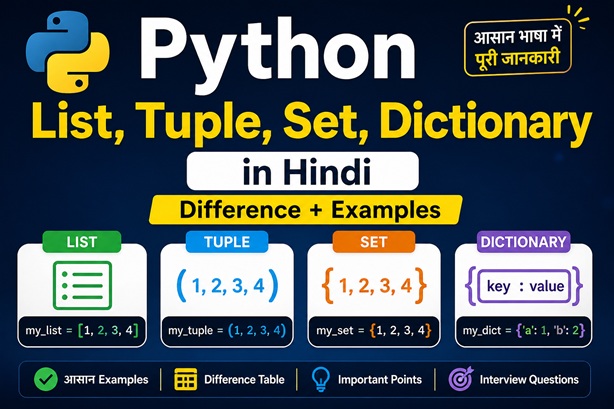
🐍 Python List, Tuple और Dictionary – फर्क और Examples
Table of Contents
TogglePython में List, Tuple और Dictionary सबसे ज़्यादा इस्तेमाल होने वाले Data Structures हैं। ये data को store, organize और access करने के अलग-अलग तरीके देते हैं। आइए आसान हिंदी में इनके differences समझते हैं।
| Feature | List | Tuple | Dictionary |
|---|---|---|---|
| Definition | Ordered & Mutable collection | Ordered & Immutable collection | Key–Value pair collection |
| Syntax | [1, 2, 3] |
(1, 2, 3) |
{"a": 1, "b": 2} |
| Mutability | ✅ Changeable | ❌ Not Changeable | ✅ Changeable |
| Best Use | Dynamic data | Fixed reference data | Fast lookup by keys |
🧠 Beginner Insight
- List तब use करें जब data change होता रहे।
- Tuple तब use करें जब data fixed और safe रखना हो।
- Dictionary perfect है fast search और mapping के लिए।
Next Step in Python 🚀
Concept clear? अब variables और operators भी master करें।
📋 Python में List क्या है?
Python में List एक ordered और mutable data structure है,
जो multiple values को एक ही variable में store करने की सुविधा देता है।
List को [ ] square brackets में define किया जाता है और values
comma से अलग होती हैं।
🧾 Syntax Example
# Python List Example
fruits = ["apple", "banana", "cherry"]
print(fruits)
# Output: ['apple', 'banana', 'cherry']
✅ Mutable
List के elements बदले, जोड़े या हटाए जा सकते हैं।
📏 Indexed
List का हर element एक index से जुड़ा होता है, जो 0 से शुरू होता है।
📦 Mixed Data
List में string, integer, float और यहां तक कि दूसरी lists भी हो सकती हैं।
💡 Example: List में नया item जोड़ना
fruits = ["apple", "banana", "cherry"]
fruits.append("mango")
print(fruits)
# Output: ['apple', 'banana', 'cherry', 'mango']
🔗 Python में Tuple क्या है?
Tuple एक ordered और immutable collection है,
जिसे ( ) parentheses में लिखा जाता है।
List की तरह index होता है, लेकिन इसे बदला नहीं जा सकता —
इसलिए यह fixed records और सुरक्षित डेटा के लिए best होता है।
✅ Immutable
Tuple बनने के बाद उसके items बदले नहीं जा सकते, जिससे accidental change से डेटा सुरक्षित रहता है।
⚡ Fast & Hashable
Tuple आमतौर पर list से हल्का और तेज़ होता है। Hashable होने पर इसे dictionary key के रूप में भी इस्तेमाल किया जा सकता है।
🧾 Fixed Records
(lat, lon), (r, g, b), (id, name, price) जैसे स्थिर records को represent करने के लिए ideal।
🧩 Syntax & Basics
# Tuple बनाना
t = (10, 20, 30)
print(t[0], t[-1]) # 10 30
# Single-element tuple
t1 = (5) # int
t2 = (5,) # tuple
print(type(t1), type(t2))
# Packing & Unpacking
point = (12.5, 7.0)
x, y = point
print(x, y)
# Extended unpacking
a, *mid, b = (1, 2, 3, 4, 5)
print(a, mid, b)
🛠 Common Tuple Operations
t = ("a", "b", "a", "c")
print(len(t)) # 4
print(t.count("a")) # 2
print(t.index("c")) # 3
print(("x","y")+("z",))
print(("ha",) * 3)
🔒 Tuple as Dictionary Key
prices = {
("apple", "kg"): 180,
("banana", "dozen"): 60
}
print(prices[("apple","kg")])
⚠️ Note: अगर tuple के अंदर कोई mutable object (जैसे list) होगा, तो tuple hashable नहीं रहेगा।
⚠️ Important Concept
- Tuple खुद immutable होता है, लेकिन उसके अंदर मौजूद list mutable हो सकती है।
- Tuple तब चुनें जब data fixed हो, dictionary key चाहिए, या performance थोड़ा बेहतर चाहिए।
Next: Python Dictionary 🚀
Key–Value data structure को real examples के साथ समझें
🗂️ Python में Dictionary क्या है?
Dictionary एक mutable key–value data structure है
जो data को key → value के रूप में store करता है।
इसे { } braces में लिखा जाता है और keys का
hashable होना ज़रूरी है (जैसे str, int, tuple)।
🔑 Fast Lookup
Dictionary में key के आधार पर data को average O(1) time में access या update किया जा सकता है।
🧰 Mutable & Dynamic
Dictionary में values किसी भी type की हो सकती हैं — list, tuple, dictionary, numbers आदि।
🚫 Hashable Keys Only
Keys immutable होनी चाहिए।
list key नहीं बन सकती, लेकिन tuple बन सकती है।
🧩 Syntax & CRUD Operations
# Create
user = {"id": 1, "name": "A", "skills": ["py", "sql"]}
# Read
print(user["name"]) # KeyError if missing
print(user.get("email", "N/A")) # Safe read
# Update / Insert
user["name"] = "Anita"
user["email"] = "a@b.com"
# Delete
del user["id"]
removed = user.pop("xyz", None)
print(user)
🔁 Dictionary Iteration
info = {"a": 1, "b": 2, "c": 3}
for k in info:
print(k, info[k])
for v in info.values():
print(v)
for k, v in info.items():
print(k, "→", v)
🧮 Dictionary Comprehension
nums = [1, 2, 3, 4, 5]
sq_odd = {n: n*n for n in nums if n % 2}
print(sq_odd)
🛠 Common Dictionary Methods
profile = {"name": "Ravi", "skills": ["py"]}
city = profile.get("city", "Dehradun")
skills = profile.setdefault("skills", [])
skills.append("sql")
profile.update({"name": "Ravi Kumar", "city": "Dehradun"})
print(profile)
🧱 Nested Dictionary & Safe Access
student = {
"id": 101,
"name": "Meera",
"marks": {"math": 92, "eng": 88}
}
print(student["marks"]["math"])
cfg = {"db": {"host": "localhost", "port": 5432}}
host = cfg.get("db", {}).get("host", "127.0.0.1")
print(host)
⚠️ Important Tips
- in operator dictionary में केवल keys check करता है।
- Keys हमेशा hashable होनी चाहिए (tuple ✅, list ❌)।
dict.copy()shallow copy बनाता है — deep copy के लिएcopy.deepcopy()।
List vs Tuple vs Dictionary 🚀
अब जानिए — कब कौन-सा data structure चुनना चाहिए + practice
🎯 List vs Tuple vs Dictionary — कब क्या चुनें?
इस सेक्शन में python list tuple dictionary in hindi को आसान बनाने के लिए decision table और practical problems दिए गए हैं, ताकि आपको साफ़ समझ आए कि किस situation में कौन-सा data structure best है।
| Criteria | List | Tuple | Dictionary |
|---|---|---|---|
| Mutability | ✅ Mutable | ❌ Immutable | ✅ Mutable (keys immutable) |
| Access Type | Index-based | Index-based | Key-based |
| Duplicates | Allowed | Allowed | Keys unique |
| Best Use | Dynamic data | Fixed records | Fast lookup (mapping) |
| Performance | Flexible | Light & fast | O(1) avg lookup |
| Examples | [1,2,3] |
(lat, lon) |
{"name":"A"} |
| Choose When… | Frequent updates | Data must not change | Label → value mapping |
⚡ Quick Decision Tips
- Frequent change? → List
- Fixed / constant data? → Tuple
- Fast search by name/key? → Dictionary
- Dictionary keys हमेशा hashable होनी चाहिए (tuple ✅, list ❌)
🧪 Practice Problems (Interview + Logic)
P1. Merge Lists → Unique Sorted
a = [3,1,2,2]
b = [2,5,3]
res = sorted(set(a + b))
print(res)
P2. Swap Tuple Values
pt = (12.5, 7.0)
pt = (pt[1], pt[0])
print(pt)
P3. Word Frequency (Dict)
text = "to be or not to be"
freq = {}
for w in text.split():
freq[w] = freq.get(w, 0) + 1
print(freq)
P4. Tuple as Dict Key
prices = {("apple","kg"):180}
print(prices[("apple","kg")])
P5. List → Dict (index:value)
items = ["py","sql","ml"]
d = dict(enumerate(items))
print(d)
P6. Sort Dict by Value
scores = {"A":86,"B":92,"C":77}
ranked = sorted(scores.items(), key=lambda x: x[1], reverse=True)
print(ranked)
P7. Immutable Config (Tuple)
CONFIG = ("localhost", 5432, False)
HOST, PORT, DEBUG = CONFIG
print(HOST, PORT, DEBUG)
P8. Group Names (Dict of Lists)
names = ["Asha","Aman","Bela"]
groups = {}
for n in names:
groups.setdefault(n[0], []).append(n)
print(groups)
FAQ + Interview Traps ❓
Common doubts, mistakes और JSON-LD ready FAQs
❓ List vs Tuple vs Dictionary – FAQ
नीचे Python के सबसे common interview और beginner-level सवालों के साफ़ और practical जवाब दिए गए हैं।
Q1. Python में List और Tuple में मुख्य अंतर क्या है?
List mutable होती है, यानी उसके elements बदले जा सकते हैं। जबकि Tuple immutable होती है और एक बार बनने के बाद बदली नहीं जा सकती।
Q2. Dictionary और List में क्या फर्क है?
List में data को index से access करते हैं, जबकि Dictionary में data को key से access किया जाता है। Dictionary key–value mapping पर काम करती है।
Q3. Tuple को List में कैसे बदलें?
Tuple को List में बदलने के लिए built-in list() function का उपयोग करते हैं।
my_list = list(my_tuple)
Q4. कब List का इस्तेमाल करना चाहिए?
जब data बार-बार update करना हो, items add/remove करने हों और order maintain करना ज़रूरी हो — तब List सबसे सही option है।
Q5. कब Dictionary का इस्तेमाल करना चाहिए?
जब data को key → value के रूप में store करना हो और fast lookup चाहिए (जैसे user profile, config, API response) — तब Dictionary best रहती है।
Interview Ready? 🎯
अब MCQs और real interview traps देखें
📢 Python Output — print() Explained
print() का इस्तेमाल Python में output दिखाने के लिए किया जाता है।
यहाँ हम इसके parameters (sep, end, file, flush)
और formatting techniques सीखेंगे — ताकि python input output in hindi
concept पूरी तरह clear हो जाए।
🧩 Basic print()
print("Hello", "Vista", 2025)
print("Hello" + " " + "Vista")
🔧 sep= और end=
print("2025","08","11", sep="-")
print("Loading", end="...")
print("done")
🌟 Unpacking & join()
nums = [1,2,3]
print(*nums, sep=", ")
print(" | ".join(map(str, nums)))
🎯 Formatting (f-strings, width, precision)
name, price, pct = "Course", 2499.9, 0.075
print(f"{name}: ₹{price:.2f}")
print(f"Discount: {pct:.1%}")
print(f"|{'left':<10}|{'mid':^10}|{'right':>10}|")
print(f"{1234567:,}")
# Older styles
print("Hi {}, ₹{:.2f}".format("Vista", price))
print("Hi %s, ₹%.2f" % ("Vista", price))
🧾 Pretty Print (pprint / JSON)
import pprint, json
data = {"user":{"name":"A","skills":["py","sql"],"score":92}}
pprint.pp(data)
print(json.dumps(data, indent=2))
🗂 file= और flush=
with open("log.txt","w", encoding="utf-8") as f:
print("Hello File", file=f)
import time
for i in range(3):
print(i, end=" ", flush=True)
time.sleep(0.3)
🔤 Escapes, Unicode, Multi-line
print("Line1\nLine2")
print(r"C:\Users\Vista")
print("नमस्ते 👋")
print("""Multi-line
message with
line breaks""")
⚠️ Common Mistakes
-
Debug के लिए
print()ठीक है, लेकिन production में logging module बेहतर होता है। -
sepdefault space औरenddefault newline होता है — same line output के लिएend=""याद रखें। - बहुत बड़ा data print करने से performance slow हो सकती है।
Practice Time 🚀
अब Input/Output पर 10 practice problems solve करें
📢 Python Output — print() Explained
print() से Python में output दिखाया जाता है।
इस सेक्शन में हम इसके parameters (sep, end, file, flush)
और formatting techniques सीखेंगे — ताकि
python input output in hindi concept पूरी तरह clear हो जाए।
🧩 Basic print()
print("Hello", "Vista", 2025)
print("Hello" + " " + "Vista")
🔧 sep= और end=
print("2025","08","11", sep="-")
print("Loading", end="...")
print("done")
🌟 Unpacking & join()
nums = [1,2,3]
print(*nums, sep=", ")
print(" | ".join(map(str, nums)))
🎯 Formatting (f-strings, width, precision)
name, price, pct = "Course", 2499.9, 0.075
print(f"{name}: ₹{price:.2f}")
print(f"Discount: {pct:.1%}")
print(f"|{'left':<10}|{'mid':^10}|{'right':>10}|")
print(f"{1234567:,}")
# Older styles
print("Hi {}, ₹{:.2f}".format("Vista", price))
print("Hi %s, ₹%.2f" % ("Vista", price))
🧾 Pretty Print (pprint / JSON)
import pprint, json
data = {"user":{"name":"A","skills":["py","sql"],"score":92}}
pprint.pp(data)
print(json.dumps(data, indent=2))
🗂 file= और flush=
with open("log.txt","w", encoding="utf-8") as f:
print("Hello File", file=f)
import time
for i in range(3):
print(i, end=" ", flush=True)
time.sleep(0.3)
🔤 Escapes, Unicode, Multi-line
print("Line1\nLine2")
print(r"C:\Users\Vista")
print("नमस्ते 👋")
print("""Multi-line
message with
line breaks""")
⚠️ Common Mistakes
-
Debug के लिए
print()ठीक है, लेकिन production में logging module बेहतर होता है। -
sepdefault space औरenddefault newline होता है — same line output के लिएend=""याद रखें। - बहुत बड़ा data print करने से performance slow हो सकती है।
Practice Time 🚀
अब Input / Output पर 10 practice problems solve करें
🧪 10 Practice Problems — Input/Output (with Hints & Solutions)
इन problems से आपकी python input output in hindi पकड़ मज़बूत होगी। हर कार्ड में Hint और Solution (Copy-बटन) शामिल है।
P1. दो संख्याओं का जोड़
User से दो numbers लें और sum print करें।
💡 Hint
int(input()) और +
✅ Solution
a = int(input("Enter A: "))
b = int(input("Enter B: "))
print("Sum =", a + b)
P2. One-line Calculator
Input: num1 num2 → sum, diff, prod, div print करें।
💡 Hint
map(float, input().split())
✅ Solution
x, y = map(float, input("Enter two numbers: ").split())
print("Sum:", x+y, "Diff:", x-y, "Prod:", x*y, "Div:", x/y)
P3. Personalized Greeting
Name और City लें → f-string से output दें।
💡 Hint
f”Hello {name} from {city}”
✅ Solution
name = input("Your name: ")
city = input("Your city: ")
print(f"Hello {name} from {city}! 👋")
P4. N Numbers का Average
Input: n फिर अगली लाइन में n numbers → average।
💡 Hint
sum(nums)/len(nums)
✅ Solution
n = int(input("How many numbers? "))
nums = list(map(float, input("Enter numbers: ").split()))
print("Average =", sum(nums)/n)
P5. Km → Miles (formatted)
Km लें और miles (2 decimals) print करें।
💡 Hint
1 km = 0.621371 miles; :.2f
✅ Solution
km = float(input("Enter km: "))
miles = km * 0.621371
print(f"{km:.2f} km = {miles:.2f} miles")
P6. Simple Interest
Input: P, R, T → SI = P*R*T/100; nicely format करें।
💡 Hint
f"₹{si:.2f}"
✅ Solution
P = float(input("Principal: "))
R = float(input("Rate (%): "))
T = float(input("Time (years): "))
si = P*R*T/100
print(f"Simple Interest = ₹{si:.2f}")
P7. Even Numbers Filter
Input list → सिर्फ even numbers को space-separated print करें।
💡 Hint
print(*evens) या " ".join()
✅ Solution
nums = list(map(int, input("Enter numbers: ").split()))
evens = [n for n in nums if n % 2 == 0]
print(*evens)
P8. टेबल-जैसा Output (Alignment)
तीन items लें और aligned columns में print करें।
💡 Hint
{text:^10}, {num:>6}
✅ Solution
items = [input("Item1: "), input("Item2: "), input("Item3: ")]
print(f"|{'Item':^10}|{'Len':>6}|")
for it in items:
print(f"|{it:^10}|{len(it):>6}|")
P9. Valid Integer लो (त्रुटि-सुरक्षित)
जब तक user सही integer न दे, पूछते रहें।
💡 Hint
try/except ValueError
✅ Solution
while True:
s = input("Enter an integer: ")
try:
n = int(s)
break
except ValueError:
print("Invalid! Try again.")
print("You entered:", n)
P10. Progress Dots (end + flush)
एक लूप में dots दिखाएँ: ....done
💡 Hint
print(".", end="", flush=True)
✅ Solution
import time
for _ in range(5):
print(".", end="", flush=True); time.sleep(0.3)
print("done")
❓ Python Input / Output — FAQ
Python के input() और print() से जुड़े
सबसे common doubts और interview questions —
आसान हिंदी में, 2025 updated.
Q1. input() क्या वापस करता है? Number कैसे लें?
input() हमेशा string लौटाता है।
Number लेने के लिए type casting करें:
age = int(input())
price = float(input())
Q2. एक ही लाइन में multiple inputs कैसे लें?
Strings के लिए:
a, b = input().split()
Numbers के लिए:
a, b = map(int, input().split())
Q3. print() में sep और end क्या करते हैं?
sep arguments के बीच का separator तय करता है
(default = space) और end line के अंत में आने वाला text
(default = newline).
print(1, 2, 3, sep=", ", end=";")
Q4. Output को formatted तरीके से कैसे दिखाएँ?
सबसे आसान तरीका f-strings है:
amount = 2499.9
print(f"Total: ₹{amount:.2f}")
print(f"|{'left':<10}|{'mid':^10}|{'right':>10}|")
print(f"{1234567:,}")
Q5. फ़ाइल में output कैसे लिखें? Encoding क्यों ज़रूरी है?
हिंदी/Unicode text के लिए UTF-8 encoding ज़रूरी है:
with open("out.txt", "w", encoding="utf-8") as f:
print("नमस्ते", file=f)
Q6. Console में progress / dots तुरंत कैसे दिखाएँ?
Buffer तुरंत flush कराने के लिए flush=True इस्तेमाल करें:
print(".", end="", flush=True)
Practice + MCQs 🎯
अब Input / Output पर MCQs और real practice questions देखें
🚀 अब आपकी बारी — Python Skills को Next Level पर ले जाएँ
आपने Python के input() और print() concepts अच्छे से समझ लिए हैं। अब समय है आगे बढ़ने का — File Handling, Strings और Operators को master करने का।